Your notes, one scroll away.
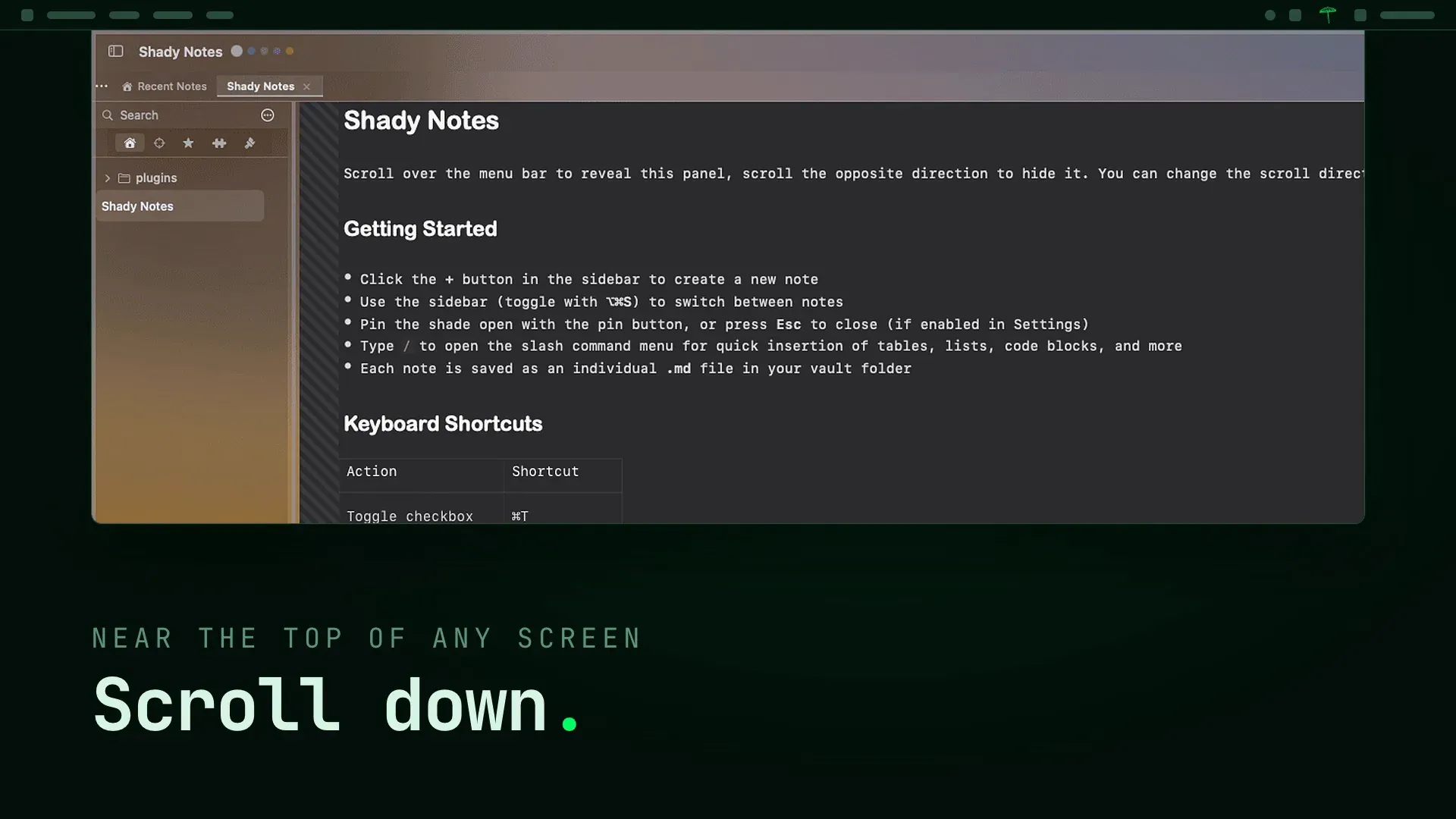
Shady Notes slides down from the menu bar like a window shade. Scroll near the top of the screen and your notes are there. Scroll back and they're gone.
Underneath, every note is a plain .md file on
your disk. Point it at the Obsidian vault you already have.
14-day full trial. No card, no account.
v4.x · macOS 13+ · Apple silicon and Intel · native Swift · notarised
On your phone? Shady Notes is a Mac app. Send yourself the link and open it there.
Two minutes with Shady Notes.
The gesture, the editor, the plugins and the plain files underneath. On a laptop or desktop it plays muted when you scroll to it; on a phone, press play.
Read the film as text
- A notepad that lives just above your screen. Shady Notes, for Mac.
- Scroll down near the top of any screen and the shade comes down. Or press ⌃⌥⌘↓. Scroll up: gone.
- Four chapters: write, organise, extend, own it.
- Write: live markdown, slash commands, real tables, checkboxes that stay - [x] on disk.
- Callouts in nine types, and [[wikilinks]] the way Obsidian does them.
- Organise: vault search, workspaces with a colour and a folder each, find and replace, the sidebar.
- Every note is a plain .md file. Open them in VS Code, grep or Obsidian.
- No lock-in. No database, just your disk.
- Extend: plugins, Daily Notes, a Kanban board that is still a .md file, and Tasks.
- Own it: sixteen themes, and ⌃E to see the raw markdown as it is on disk.
- Pay for the app, never for your notes. Free, Personal at $4 a month, Supporter at $8 a month.
- Shady Notes. Your notes, one scroll away. Free with a 14-day full trial, macOS 13 and later. Made by Round Rect.
Notes that live just above your screen.
A notes app you keep open costs you a window. A notes app you have to launch costs you the thought. Shady Notes costs you a flick of the scroll wheel.
- Scroll near the menu bar
- The shade slides down over whatever you're doing. Scroll the other way and it's gone. Direction is configurable and auto-detects mouse or trackpad.
- One global hotkey
- ⌃⌥⌘↓ (Control-Option-Command-Down), rebindable, toggles the shade from inside any app. No window switching, no Dock, no Cmd+Tab.
- The amber pull tab
- A small tab hangs below the menu bar while the app runs. Click to toggle. It shrinks to a quiet dot when your mouse leaves.
- Pin, window, minimize
- Pin the shade open, detach it into a regular window, or strip the chrome for a distraction-free surface.
No lock-in. Just markdown.
Every note is a standalone .md file in
a folder you choose, by default ~/Documents/ShadyNotes/.
Point Obsidian at the same vault. Edit a note in VS Code and watch it
reload in the shade. Grep it. Back it up. It's your disk.
No server and no sync service hold your notes, and you don't need an account to write. Only metadata is scanned at launch and a note loads when you open it, so the shade scales to vaults with thousands of notes.
$ ls ~/Documents/ShadyNotes/
projects/    journal/     plugins/
ideas.md     groceries.md meetings.md

$ cat ideas.md
# Ideas

- [x] a notes app with no window
- [ ] that opens with a scroll
- [ ] and never holds my files hostage
Markdown that renders as you write.
A WYSIWYG editor over real markdown source. Never a proprietary format with an export bolted on.
- Live markdown
- Markers hide as you type and reveal when the cursor enters the line. Checkboxes, real tables, callouts, wikilinks and slash commands. ⌃E shows the raw source.
- Tabs, stars and search
- Tabs that persist across restarts, starred notes, vault-wide search and a VS Code-style find bar.
- Plugins in the box
- Daily Notes, Kanban and Tasks. Build your own as a single .md file with a YAML front-matter DSL, like this one.
- Sixteen themes
- Eleven dark, five light, including Solarized, Dracula, Nord and Catppuccin. ⌘⌥T switches.
-
- Dracula
- Catppuccin Mocha
- Nord
- Gruvbox
- Tokyo Night
- Rosé Pine
- Solarized Dark
- Solarized Light
- Catppuccin Latte
- Gruvbox Light
---
plugin: my-reading-list
name: Reading List
schema:
  type: reading
  fields:
    - name: status
      type: select
      options: [want, reading, finished]
  group_by: status
---One small subscription. Zero hostages.
-
Free
$0 · foreverA complete basic notepad. The first 14 days unlock everything.
-
Personal
$4 / monthEvery theme, plugins, revision history and all updates, on a vault that stays yours.
-
Supporter
$8 / monthThe same app plus early builds, priority support and a heavier vote on the roadmap.
If you stop paying, the app drops to Free. Your notes, the editor and the shade keep working; only the extras lock. Pay for the app, never for your notes.
Compare plansBefore you download.
Does it run on my Mac?
Will macOS let me open it?
Do I need an account?
What happens after the 14 days?
Fourteen days of the full app.
Download, open, scroll. No card and no account, and your notes stay plain markdown files either way.